Contractor Payments and Payment Items
Last updated: August 3, 2026
Overview
Contractor payments can be made to existing, onboarded Contractors within your Company. In order to process a Contractor Payment, Zeal requires at a minimum the recipient contractor, the pay date and the amount.
With Contractor Payments, you are able to:
Create one or more Payment Items
Add deductions onto Payments
Configure reusable Service Types
Apply Garnishments or Miscellaneous Deductions
Edit pending Payments before processing
View Pay Statements after processing
Create Service Types
Before creating any contractor payments, you can create Service Types to standardize the work being paid and reuse for future payments.
To locate Service Types, head to Organization -> Service Types
Select Add New Service Type and complete the following information:
Name
Description
Rate Type
Default Amount
Any additional tracking information
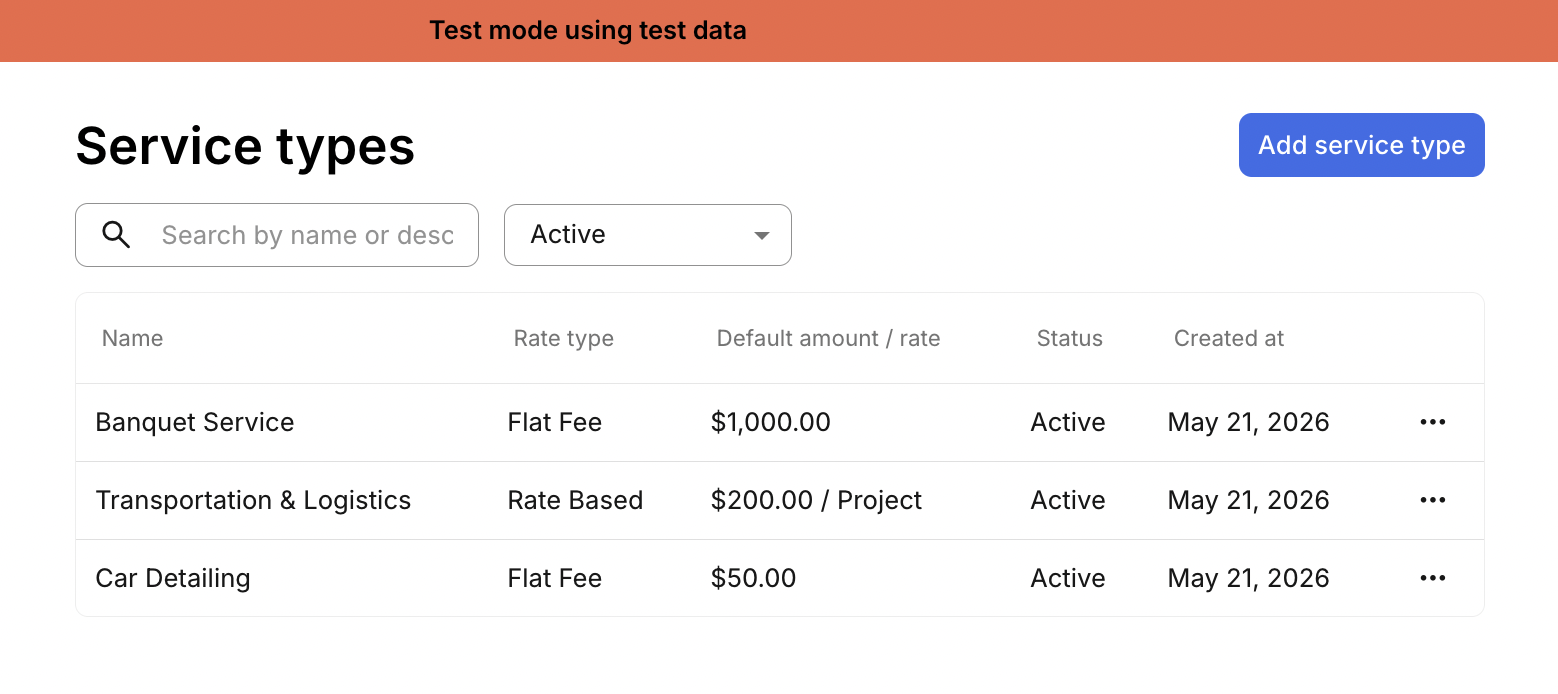
Once completed, Service Types can be selected within a payment line item and will automatically populate the work description.
Manage Contractor Deductions
Before creating a contractor payment, you can configure deduction types and contractor-specific deductions.
To locate Contractor Deductions, navigate to Pay -> Contractors -> Manage Deductions
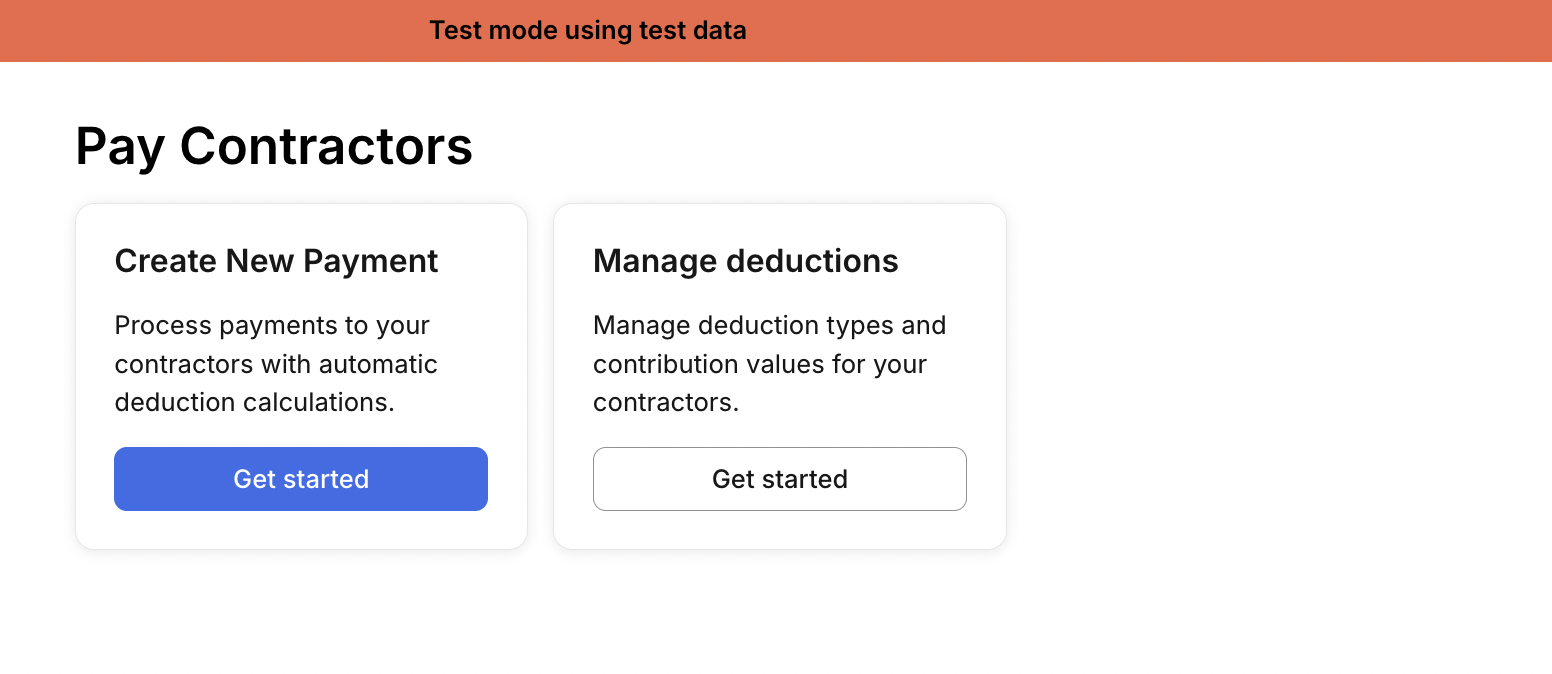
Supported Deduction Types
There are two deduction types to choose from:
Garnishment - Note that Zeal will manage the movement of garnishment funds on your behalf.
Miscellaneous - Use Miscellaneous deductions for any other deduction type you need added to the payment. Zeal does not move these funds.
Create a Deduction
To create an active deduction:
Select the worker
Enter the deduction details
Save the deduction
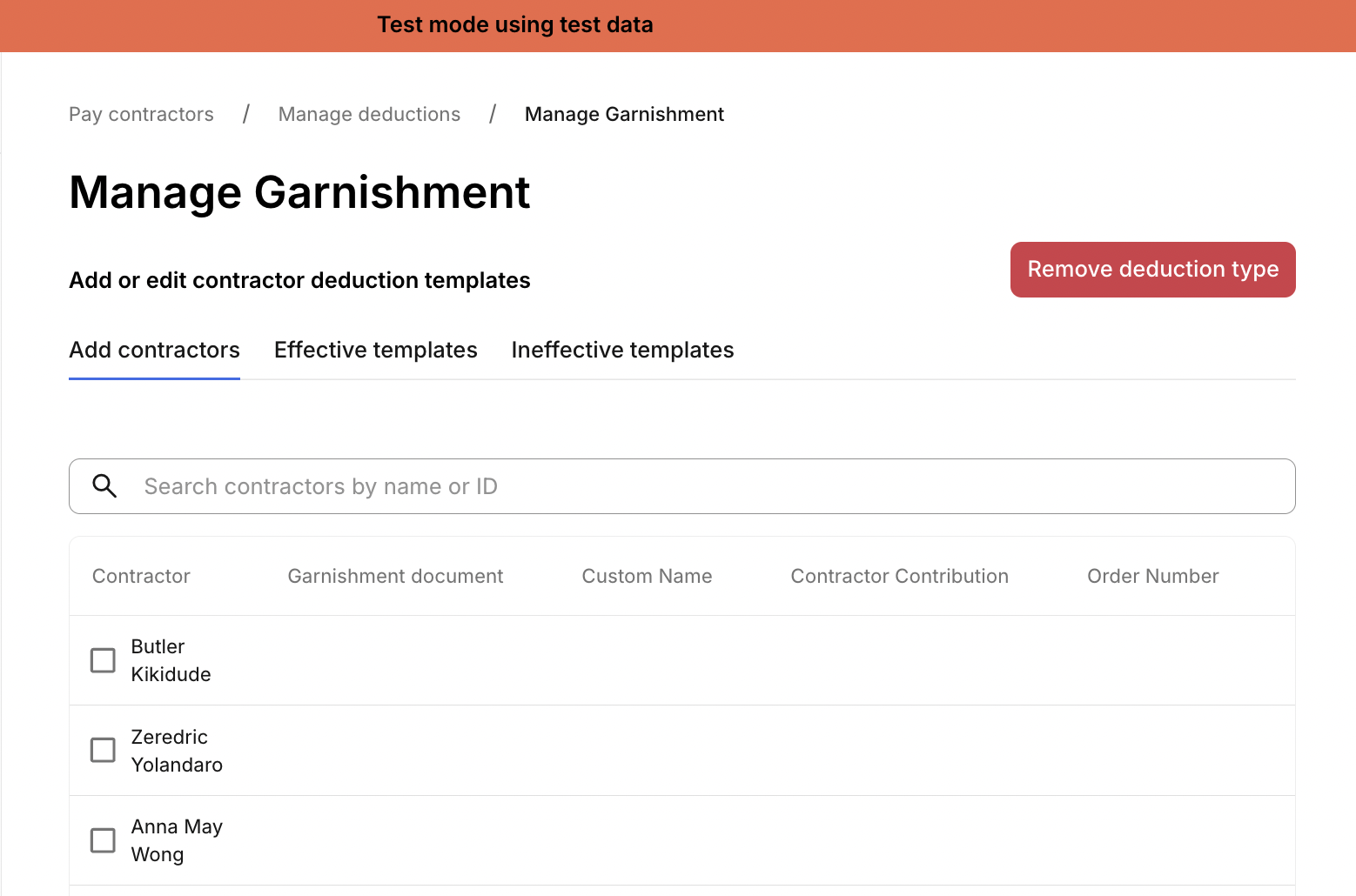
Active garnishments can later be applied directly to contractor payments.
Create a Contractor Payment
To locate Contractor Payments, navigate to Pay -> Contractors -> Create New Payment
Enter Payment Details
You will be asked the following information:
Select the Contractor
Payment Speed
Disbursement Method
Payment Date
If the Payment Needs Manual Approval
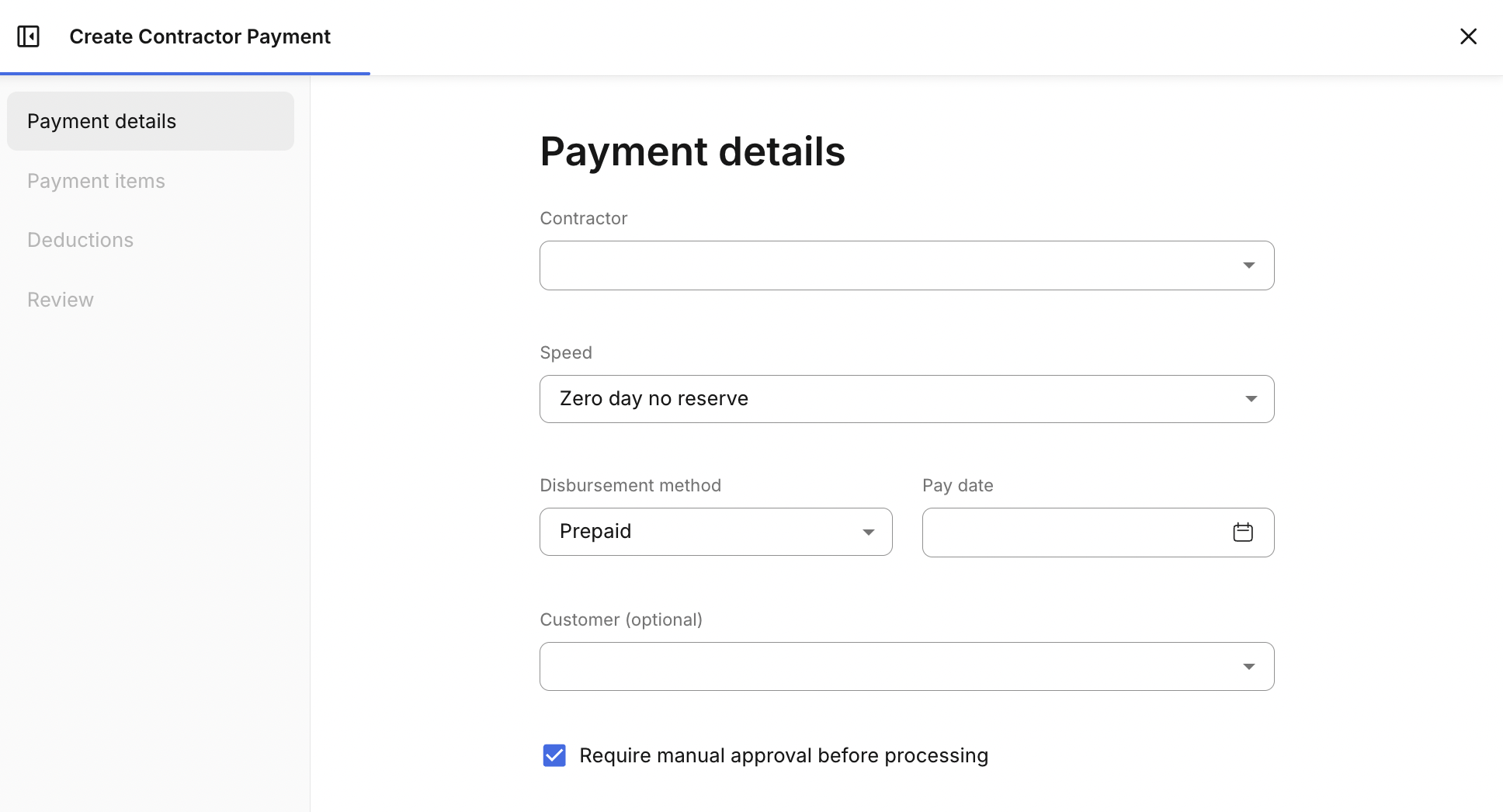
Add Payment Items
You will then be asked to individual Payment Items to the Payment. Each Contractor Payment can include one or more payment items.
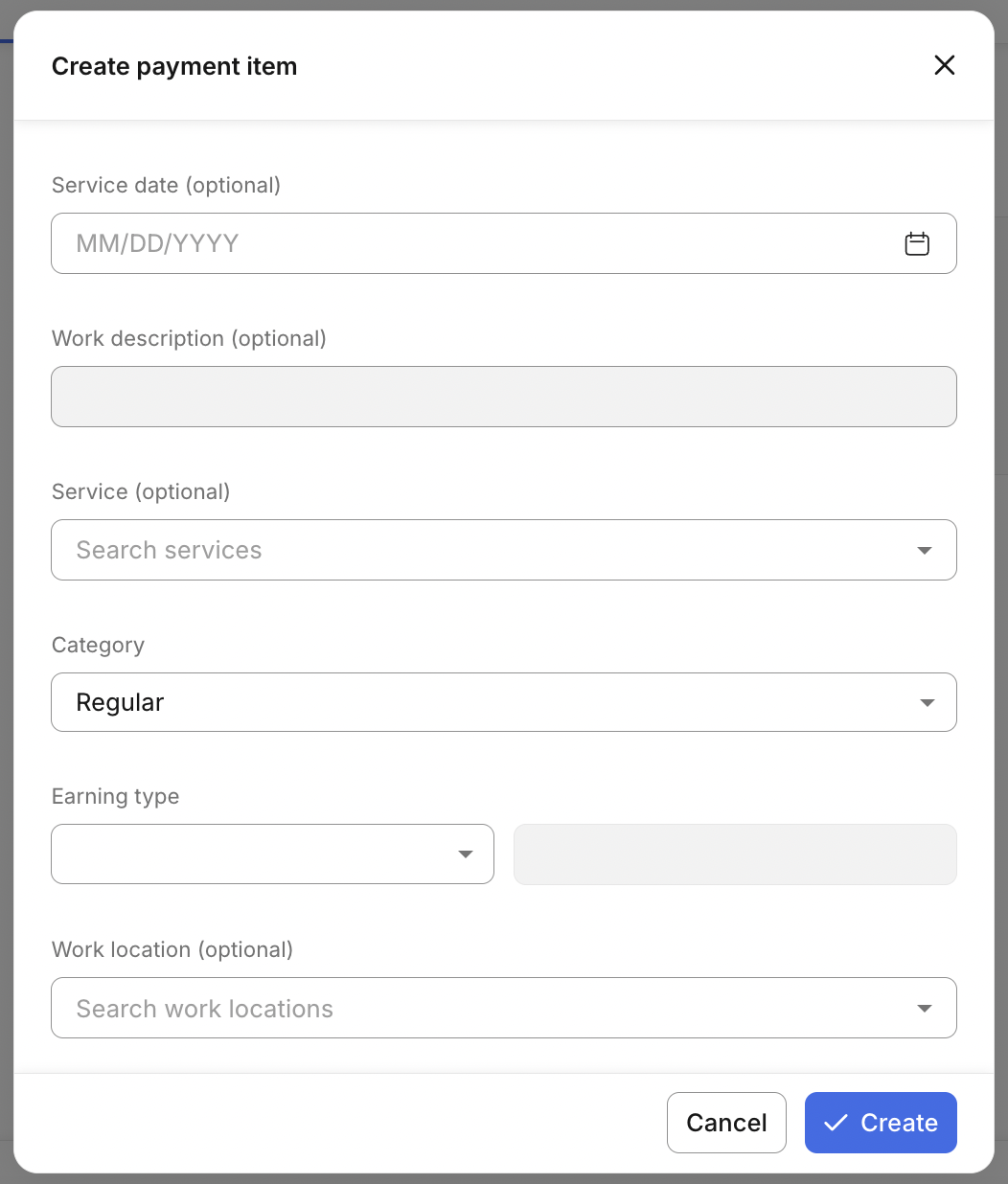
For each payment item, you can provide the:
Service Date
Work Description
Service Type
Category
Earning Type
Amount or Rate
Work Location
Using Service Types
If a Service Type was created before the payment, it can be added within the Payment Line Item. When a Service Type is selected information will then auto-populate to the Line Item.
Adding Deductions
If the contractor has active deductions, you can select to apply them Payment.
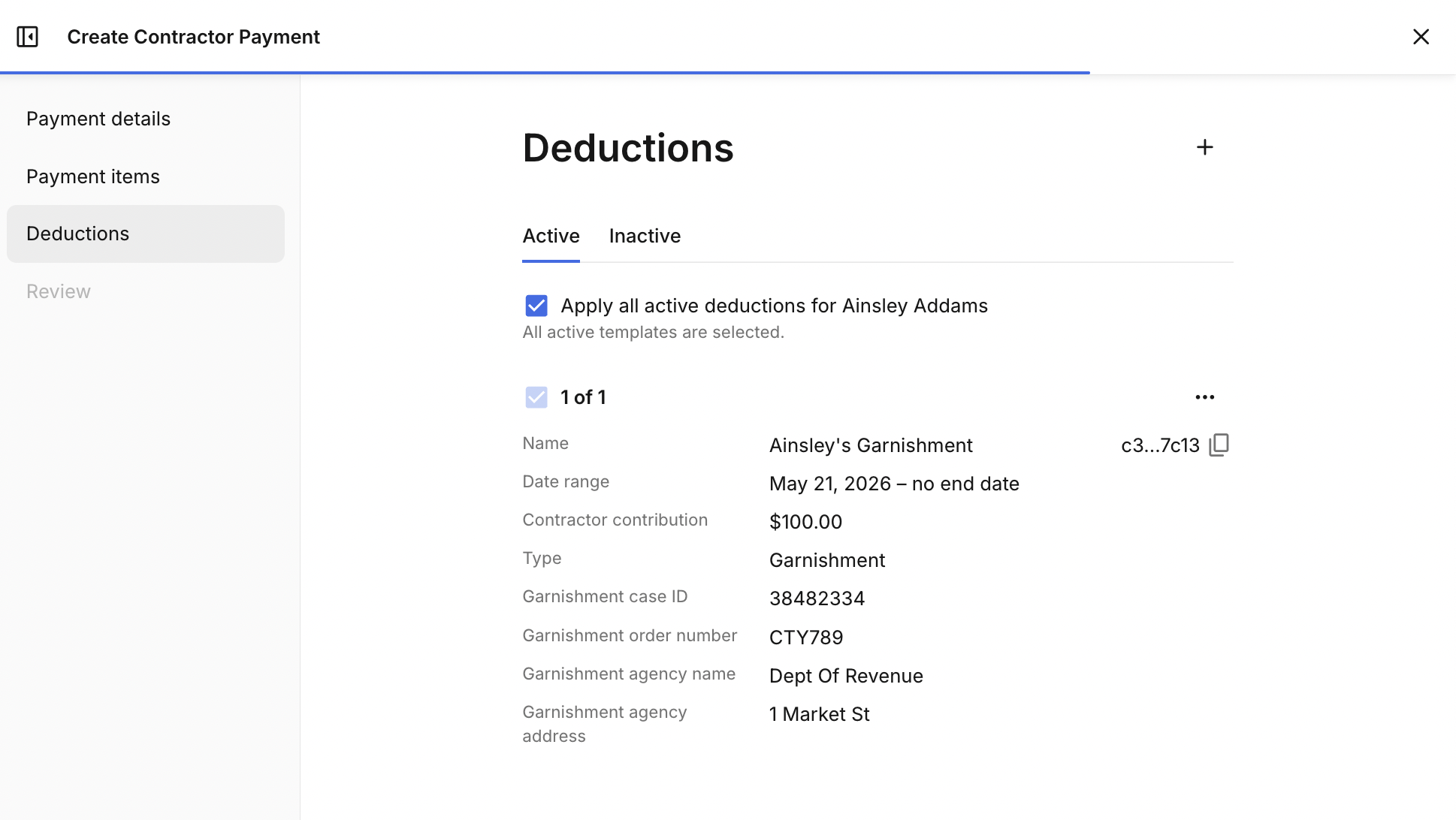
As payment items are added the Gross Pay total is automatically calculated, and Net Pay totals will show any active deductions applied.
Edit Pending Contractor Payments
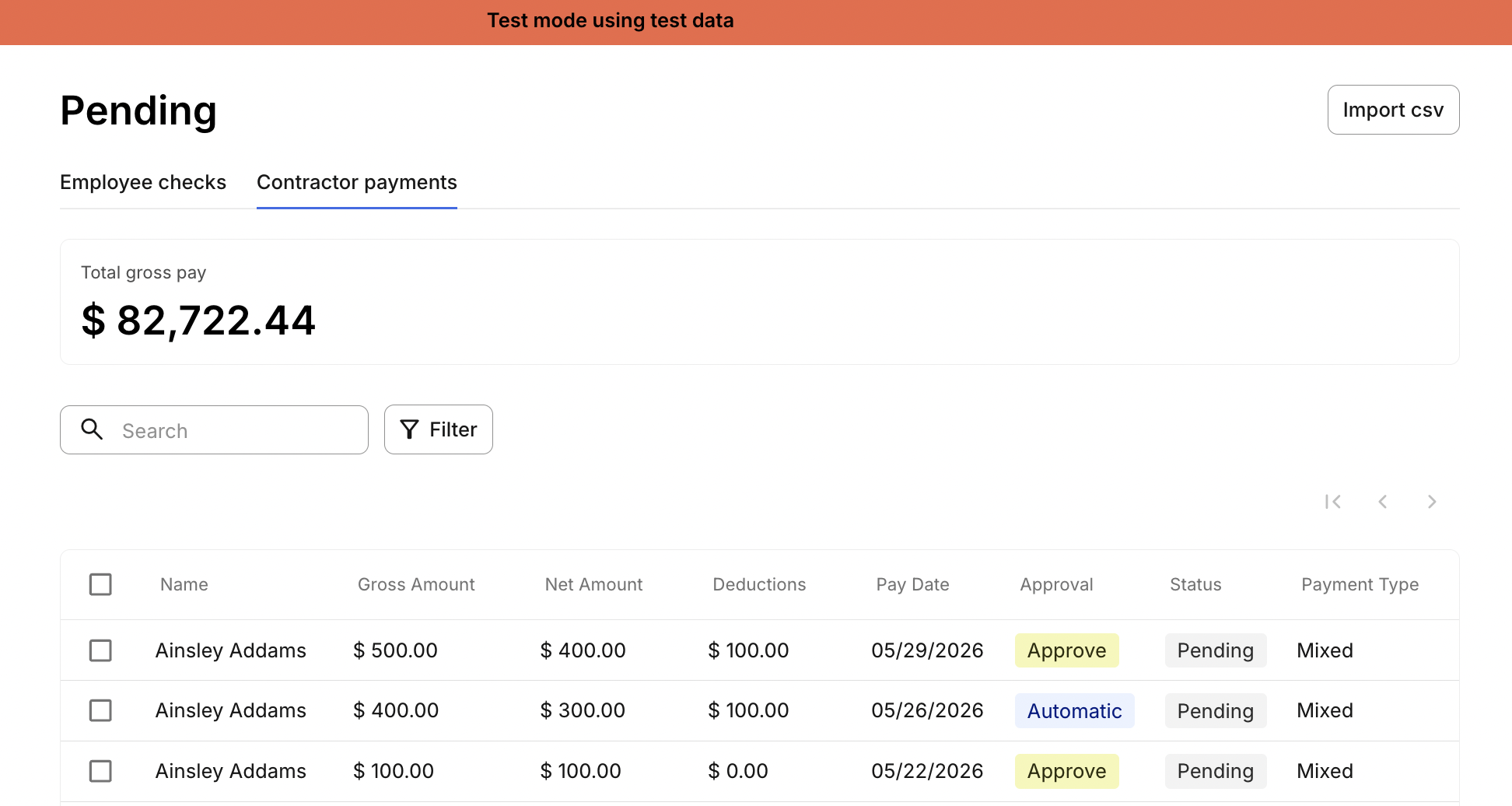
After creating a Contractor Payment, you can still make changes while the payment remains in a Pending status.
To locate Pending Contractor Payments, navigate to Pay -> Pending -> Contractor Payments
Locate the contractor payment you'd like to edit, then select it to view the payment.
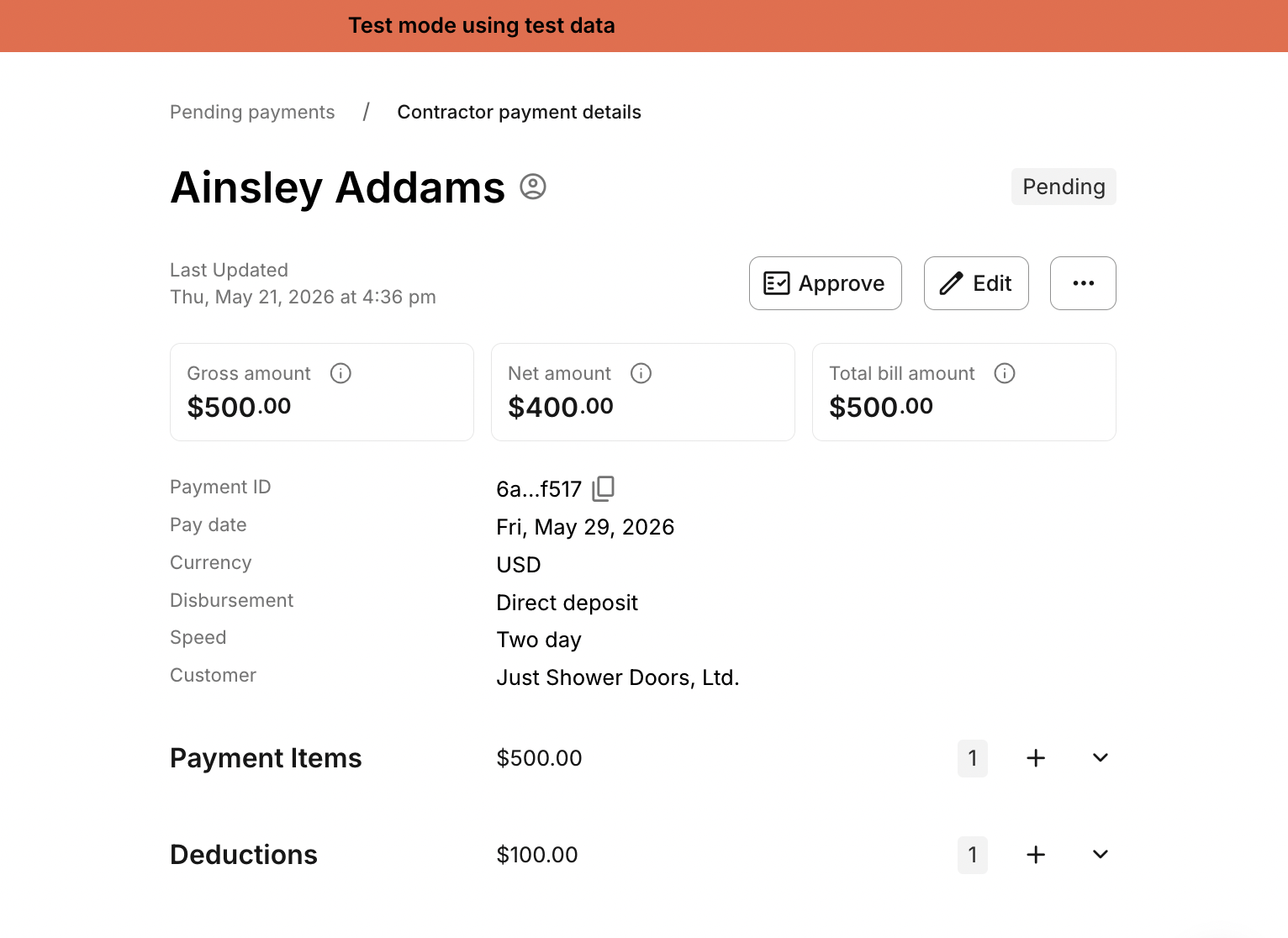
While the Payment is still in status pending, you are able to:
Edit payment speed
Edit disbursement method
Edit payment date
Add/Edit payment items
Add/Edit deductions
Delete the payment
Approve the payment (if manual approval is required)
Contractor Payment Processing
All contractor payments that have the same Payment Speed, Check Date and Payment Date are grouped together into a Contractor Payment Group ID, created by Zeal. This defines the Company Debit number needed to run the payroll.
When the group is processed, all associated contractor payments within that group are moved to status 'processed' together.
Viewing Contractor Pay Statements
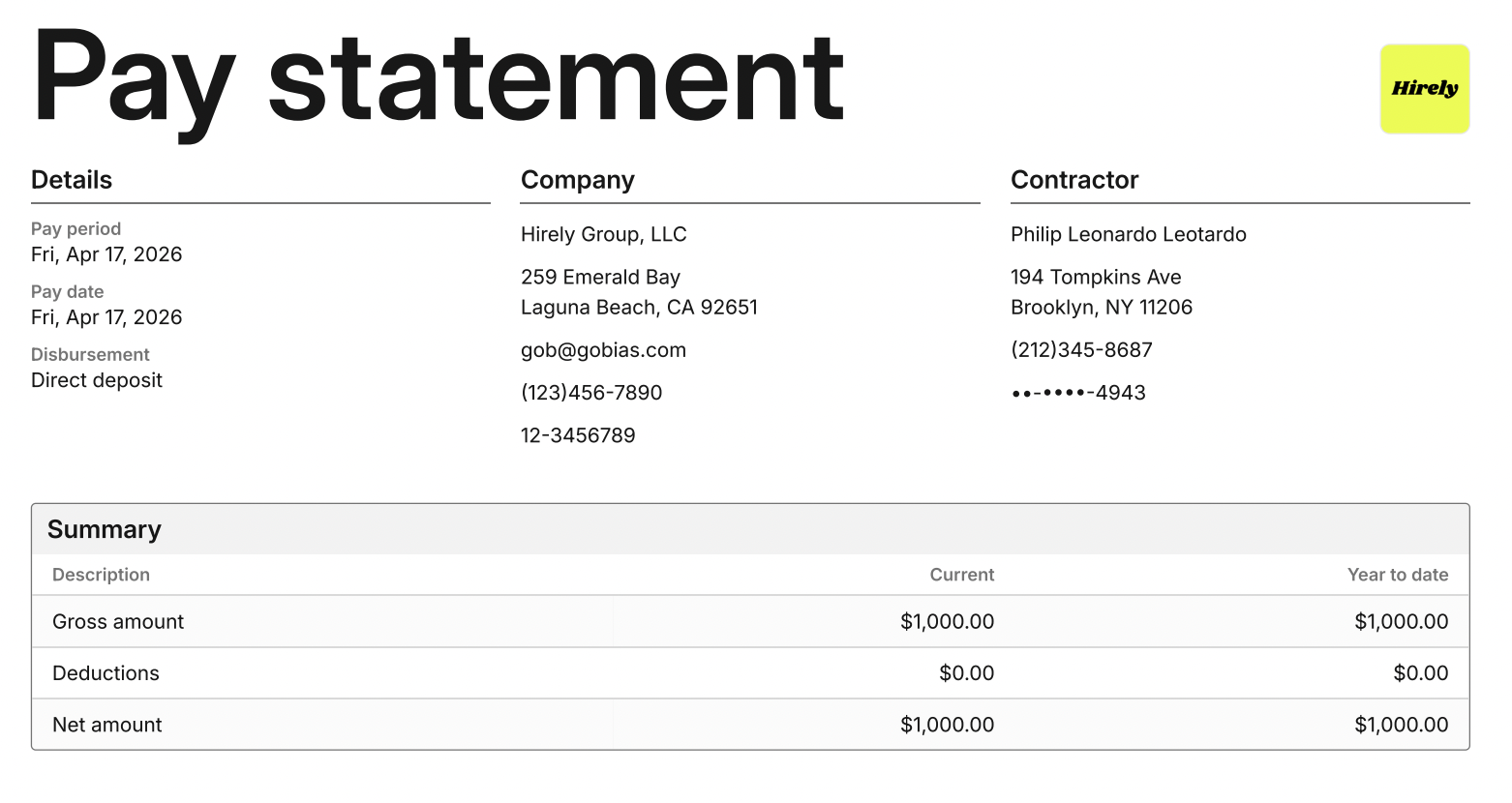
Once a Contractor Payment is processed, the payment will include a pay statement summarizing:
Payment details
Company details
Contractor details
Summary including Gross pay, Deductions, Net Pay
Accessing Pay Statements
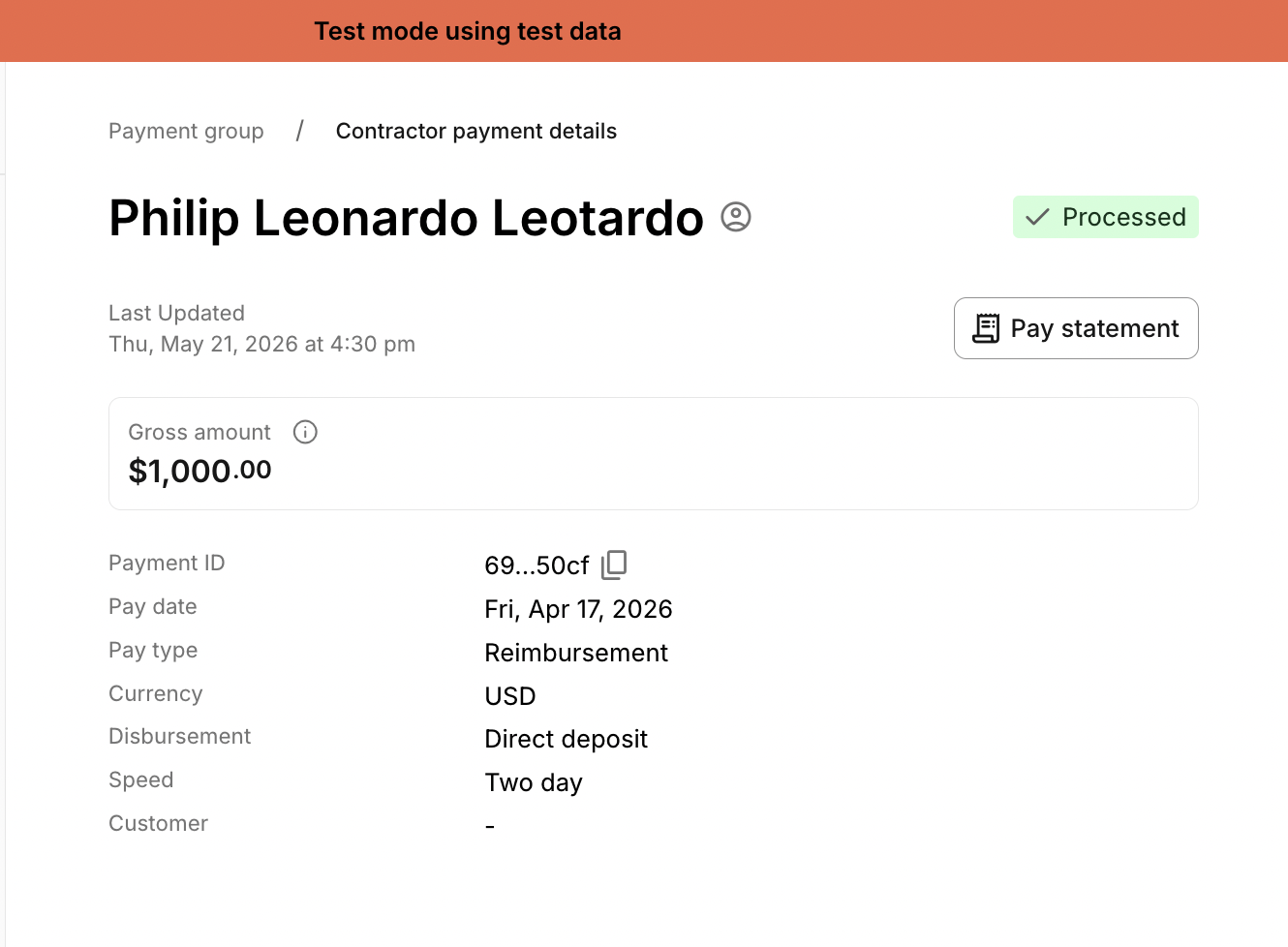
Pay Statements can be viewed in two ways.
From Payment History
Navigate to Pay -> History -> Contractor Payments
Locate the Contractor Payment Group
Select the individual contractor payment
From the Contractor Profile
Navigate to People -> Contractors
Locate the specific Contractor
Open the Payments tab within the Contractor's profile
Zeal is a financial technology company, not an FDIC insured depository institution. Banking services provided by Bangor Savings Bank, Member FDIC. FDIC insurance coverage protects against the failure of an FDIC insured depository institution. Pass-through FDIC insurance coverage is subject to certain conditions.
Mastercard® Debit Card is issued by Bangor Savings Bank, Member FDIC, pursuant to license by Mastercard International Incorporated. Mastercard is a registered trademark, and the circle design is a trademark of Mastercard International Incorporated. Spend anywhere Mastercard is accepted.