Custom Reporting
Last updated: August 3, 2026
Zeal offers a way to pull detailed reports directly from the dashboard through a Custom Worker Summary Report feature. This powerful reporting tool allows you to build customized reports for employees or contractors, selecting only the data fields you need.
Note: The custom worker summary report is currently behind a feature flag. If you don’t see it in your account, please contact your Zeal representative.
Custom Worker Summary Report
Accessing the Report
To Access the Log in to your Zeal Dashboard.
Navigate to the Reports section.
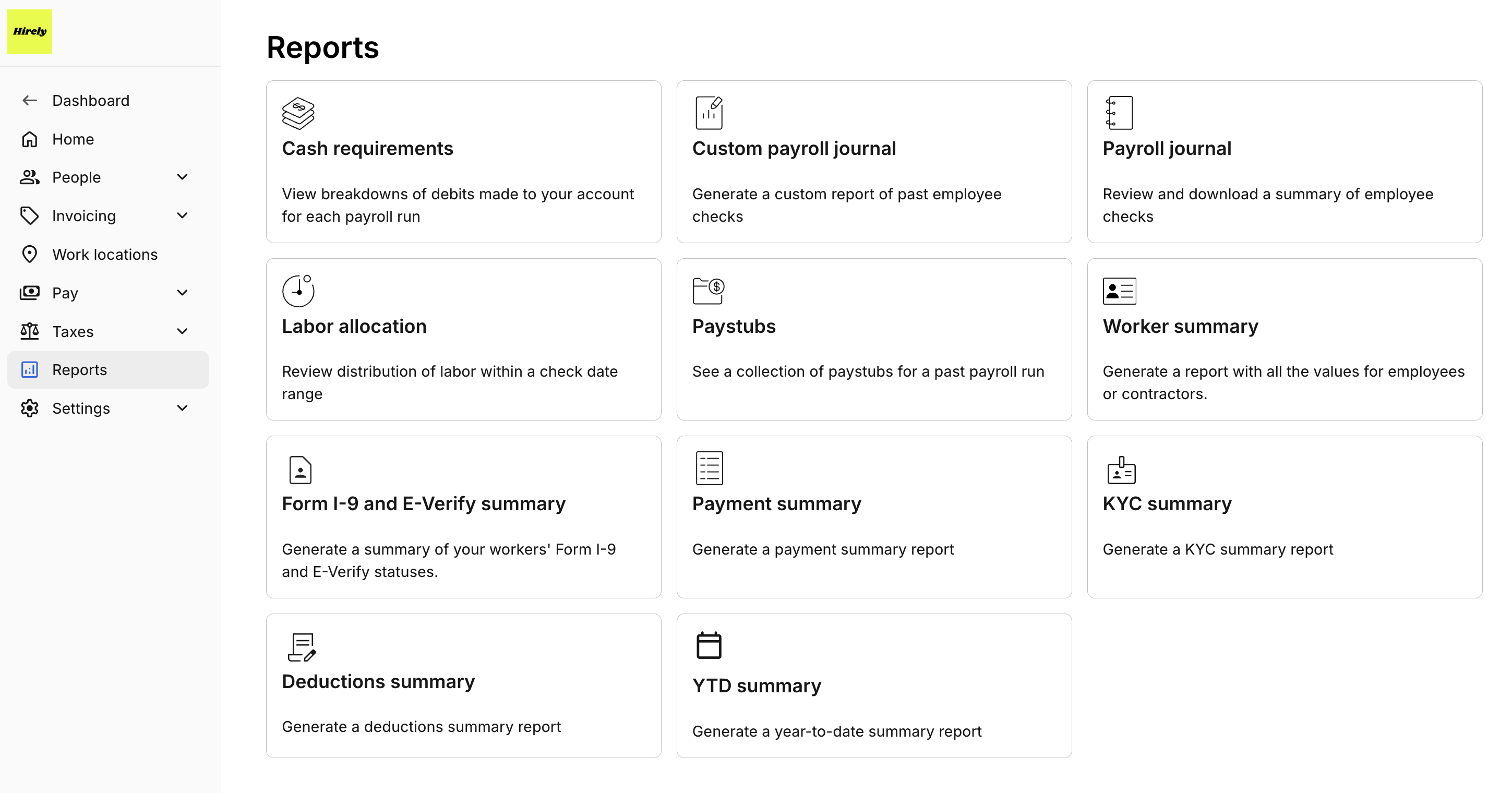
Locate the Worker Summary Report option.
With the feature enabled you will see the Custom Report option within the Worker Summary.
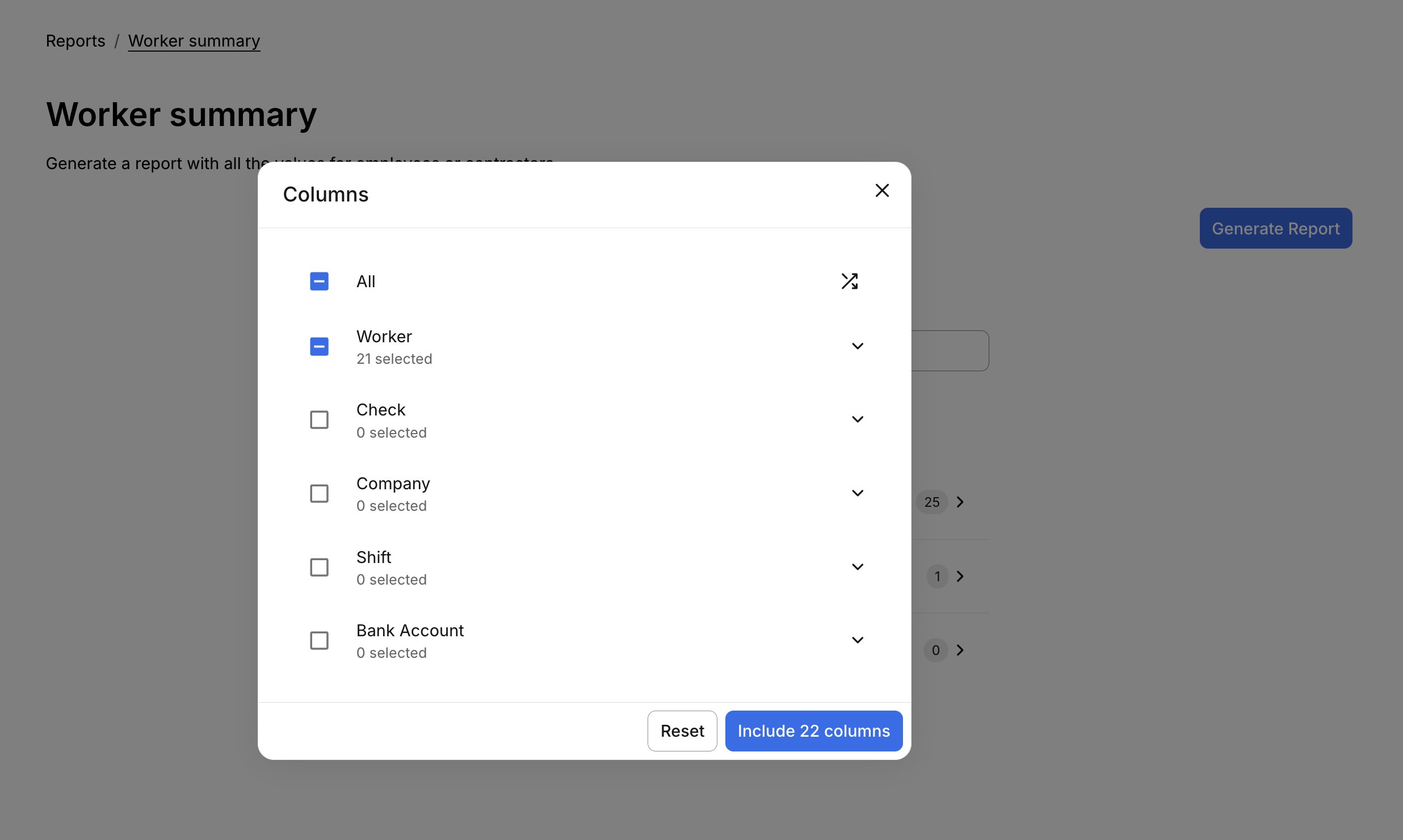
Select Columns
You can build a report by choosing which data columns to include. Columns are grouped by category:
Worker Information: First name, last name, email, etc.
Check Information: Payment details related to past checks and payments.
Company Information
Shift Information: Details about hours worked, shift types, etc.
Bank Account Information: Bank name, routing number, etc.
You can include specific columns from each section or select all available columns.
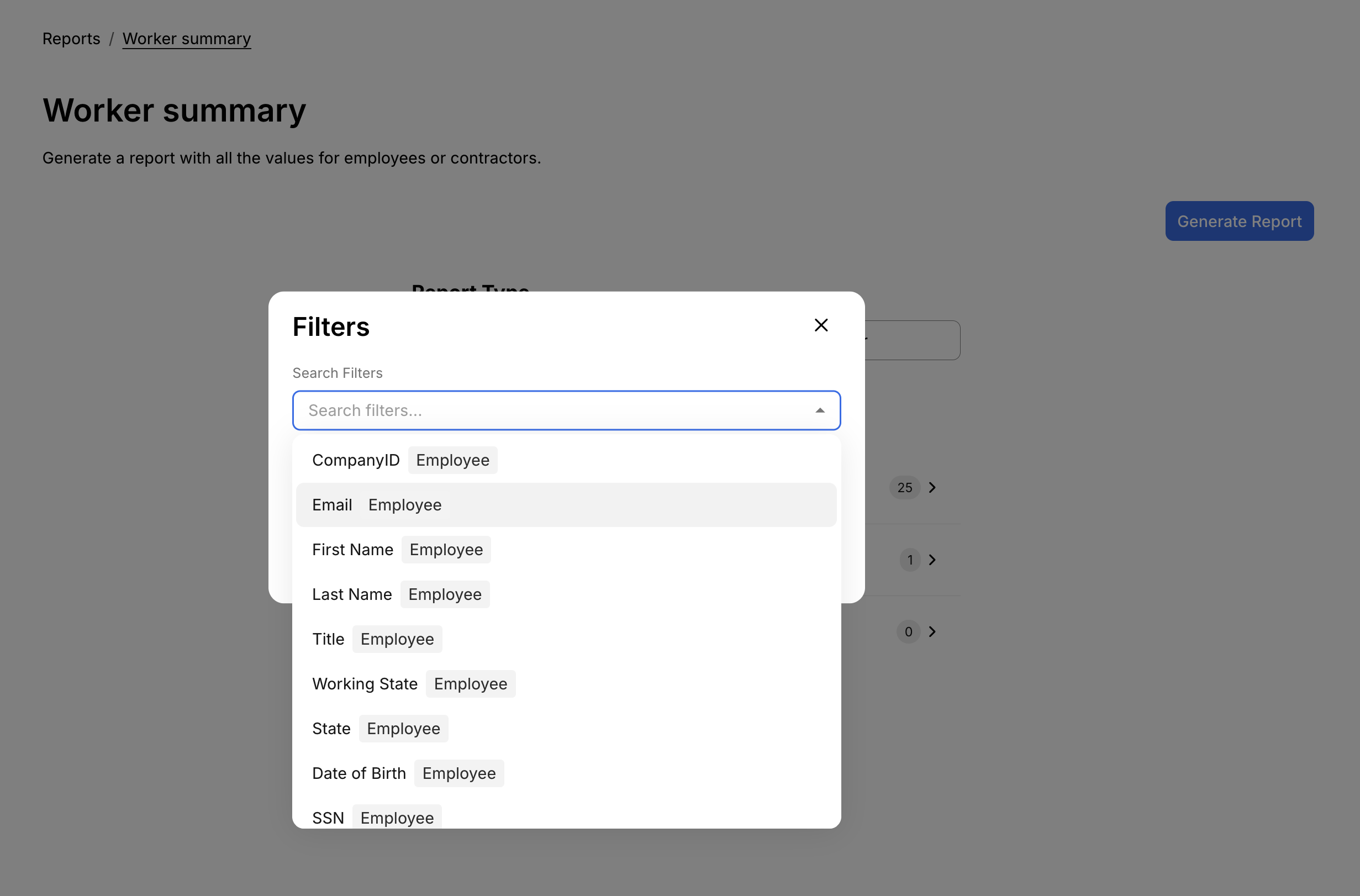
Apply Filters
Use filters to narrow down your report results. Available filters include:
Worker Information: First name, last name, email, etc
Bank Account Information: Bank name, routing number, etc.
For example, you could filter by First Name = John to see all workers named John.
Sort Your Data
Before generating the report, you can sort the results by various fields. Sorting options include:
Employee Information Fields (e.g., Last Name, Title, Employment Status)
Bank Account Information Fields
You can sort data in ascending or descending order. For instance, sort by Last Name (A–Z) to organize the report alphabetically.

Generating and Downloading the Report
Once your columns, filters, and sorting preferences are set:
Click Generate Report.
Zeal will create a CSV file based on your selections.
Wait until the report finishes loading—do not leave the screen until the download begins.
The completed CSV report will be automatically downloaded to your device.
Demo Video
For an example report please refer to this Admin Video Example.
Summary
The Custom Worker Summary Report gives you full control over the data you extract from Zeal. With flexible filtering, sorting, and formatting options, you can easily generate detailed, tailored reports for your workforce.
Zeal is a financial technology company, not an FDIC insured depository institution. Banking services provided by Bangor Savings Bank, Member FDIC. FDIC insurance coverage protects against the failure of an FDIC insured depository institution. Pass-through FDIC insurance coverage is subject to certain conditions.
Mastercard® Debit Card is issued by Bangor Savings Bank, Member FDIC, pursuant to license by Mastercard International Incorporated. Mastercard is a registered trademark, and the circle design is a trademark of Mastercard International Incorporated. Spend anywhere Mastercard is accepted.