Configure Employee Onboarding
Last updated: August 3, 2026
Employee onboarding is how you collect the information needed to employ and pay a worker.
Zeal provides a customizable onboarding experience that allows employees to securely submit their personal information, tax forms, payment details, and company-specific requirements before their first payroll.
As employees complete onboarding, their information is automatically added to their employee profile, reducing manual data entry and helping ensure payroll is accurate.
Before You Begin
Before inviting employees, we recommend completing the following:
Create your company
Complete Tax Setup
Set up your work locations
Configure any custom onboarding requirements, such as custom paperwork or attributes
How Employee Onboarding Works
Employee onboarding follows four simple steps.
1. Configure your onboarding experience
Before inviting employees, decide which onboarding steps you want to include.
Depending on your company’s needs, you can require employees to complete:
Personal information
Account creation
Federal and state tax forms
Direct deposit
I-9 verification
Identity verification
Custom paperwork
Custom attributes
Benefits enrollment
Instant Pay or Paycard enrollment
2. Invite your employee
Once your onboarding flow is configured, create an employee and send them an onboarding invitation.
Navigate to People, then select Add Employee.
After creating the employee, generate an onboarding link that can be:
Copied and shared manually
Sent directly by email
Employees can complete onboarding from a desktop browser, mobile browser, or your white-labeled mobile app (if enabled).
3. Employee completes onboarding
Employees complete each assigned onboarding step at their own pace.
As information is submitted, Zeal automatically validates and stores it in the employee’s profile.
Depending on your configuration, employees may complete:
Onboarding Step | Purpose |
|---|---|
Personal Information | Basic profile information |
Account Creation | Creates login credentials |
Tax Forms | Federal and state withholding elections |
Direct Deposit | Adds a bank account for payroll |
I-9 | Employment eligibility verification |
Identity Verification | Identity verification (optional) |
Custom Paperwork | Company-specific documents |
Custom Attributes | Additional information collected by your organization |
Benefits | Benefit enrollment (if enabled) |
Instant Pay / Paycard | Optional payment enrollment |
4. Review employee information
Once onboarding is complete, review the employee’s information before including them in payroll.
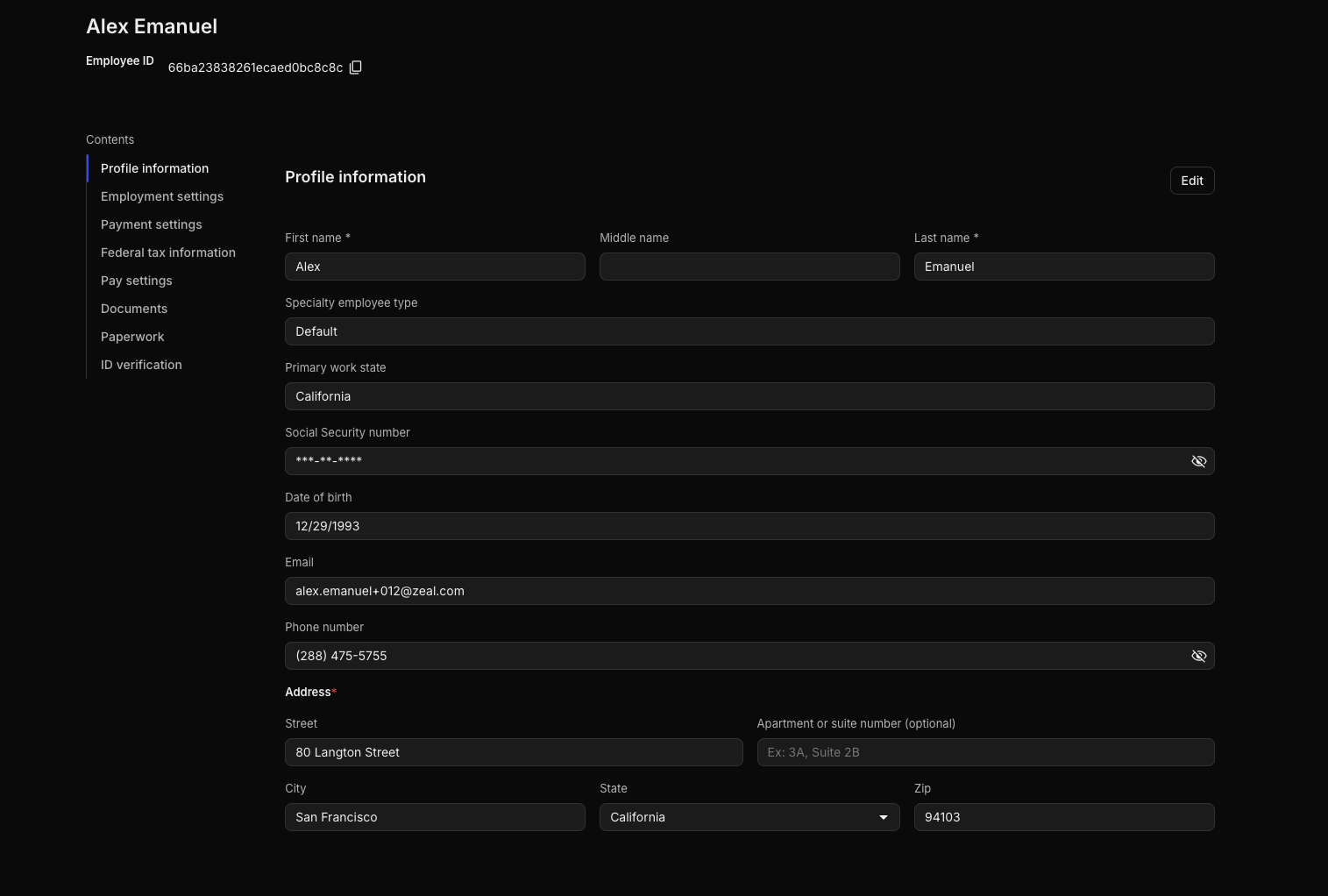
From the employee profile you can review:
Profile information
Employment settings
Payment settings
Tax forms
Documents
Paperwork
Identity verification
This gives you a complete view of everything submitted during onboarding.
Tracking Onboarding Progress
You can monitor onboarding progress from the People page.
From there you can:
See which employees haven’t started onboarding
View employees currently in progress
Confirm when onboarding is complete
Resend onboarding invitations
Generate new onboarding links if needed
If an employee only needs to update one section—such as their bank account or tax forms—you can send a Shareable Link instead of asking them to complete the full onboarding flow again.
After Onboarding
Before running payroll, confirm that each employee has completed the required onboarding steps.
We recommend reviewing:
Personal information
Work location
Tax forms
Payment method
Employment settings
Once everything has been reviewed, the employee is ready to be included in payroll.
Related Articles
Zeal is a financial technology company, not an FDIC insured depository institution. Banking services provided by Bangor Savings Bank, Member FDIC. FDIC insurance coverage protects against the failure of an FDIC insured depository institution. Pass-through FDIC insurance coverage is subject to certain conditions.
Mastercard® Debit Card is issued by Bangor Savings Bank, Member FDIC, pursuant to license by Mastercard International Incorporated. Mastercard is a registered trademark, and the circle design is a trademark of Mastercard International Incorporated. Spend anywhere Mastercard is accepted.