Getting Started with Zeal
Last updated: August 3, 2026
Welcome to Zeal!
This guide walks you through the essential steps to set up your company, add workers, and process your first payroll.
If this is your first time using Zeal—or your first time running payroll—this guide is the best place to start.
Estimated time: 30–60 minutes
Before You Begin
Make sure you have access to:
Your Zeal partner account: 📄 Partner Onboarding
Your company’s legal business information
Federal and state tax information
A business bank account for payroll funding
Employee or contractor information (if applicable)
Step 1: Create Your Company
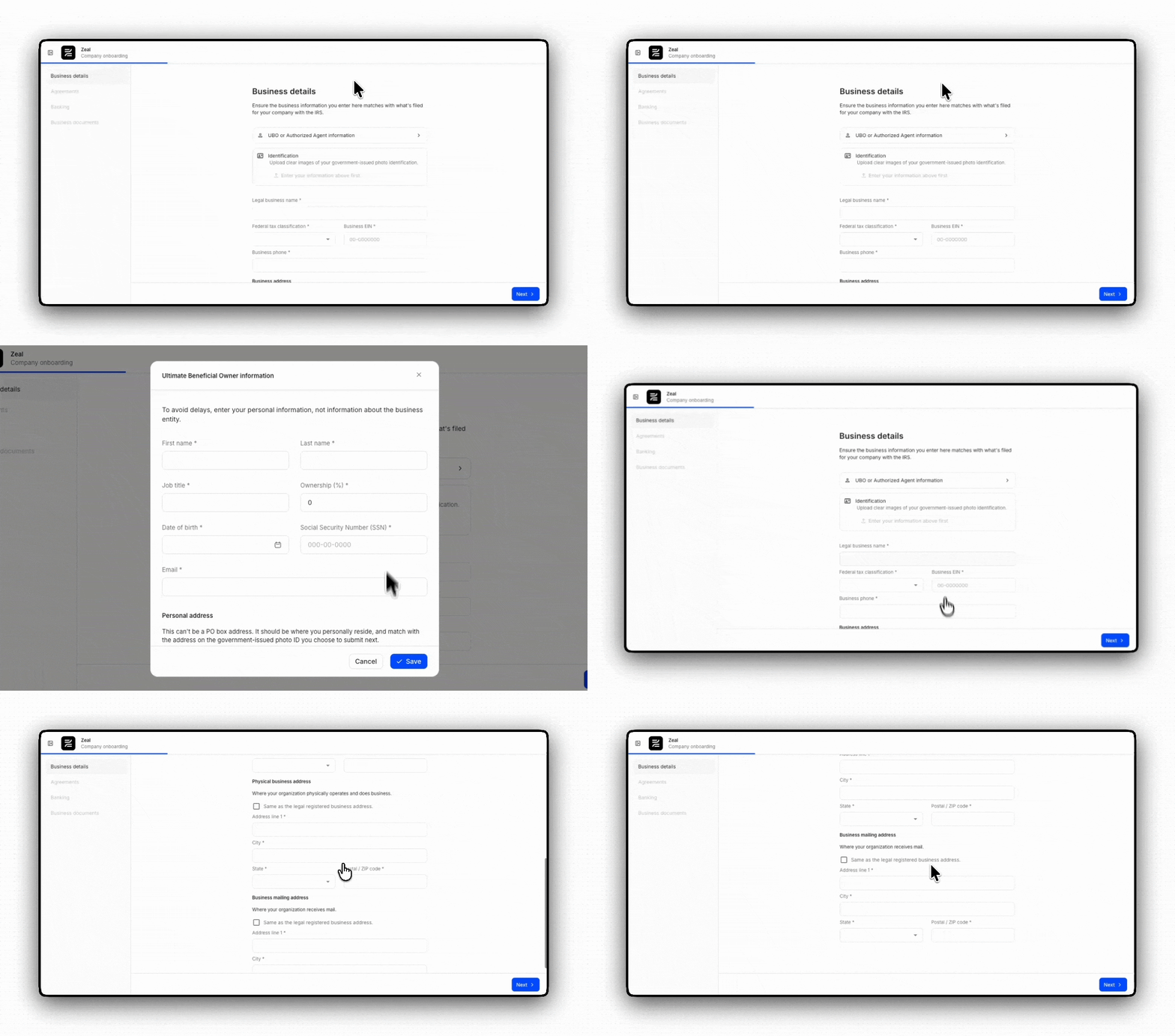
Everything starts with creating your company in Zeal. During onboarding, you’ll verify your business, connect your payroll funding account, and complete the agreements required to begin processing payroll.
Goal: Create your company and complete the required onboarding.
Tasks
During company onboarding, you’ll verify your business, connect your payroll funding account, and complete the agreements required to begin processing payroll.
💡 New: Follow the in-product onboarding checklist
Zeal now includes a built-in onboarding checklist that guides administrators through each implementation task directly within the platform. As you complete setup, the checklist tracks your progress and highlights what’s left, helping your team get up and running faster.
Step 2: Set Up Payroll Taxes
Before payroll can be processed, Zeal needs to know which federal and state tax accounts apply to your business. During tax setup, you’ll review your tax cards and provide any information needed for tax calculations and filings.
Goal: Configure the tax accounts Zeal uses to calculate, pay, and file payroll taxes.
Tasks
Good to know - Some tax cards won’t appear until you’ve added employees and work locations. If additional tax requirements appear later, simply return to the Tax Setup page to complete them.
Step 3: Add Your Workers
Now it’s time to add the people you’ll be paying. Whether you’re hiring employees, contractors, or both, Zeal will guide them through onboarding so they can securely provide the information needed for payroll.
Goal: Add the people you’ll be paying through Zeal.
Employees (W-2)
Contractors (1099)
Step 4: Configure Payroll
Before your workers can be paid, you’ll need to configure a few payroll settings. This includes assigning work locations, deciding what information workers will complete during onboarding, and collecting bank account information for direct deposit.
Goal: Configure the basic information workers need before they can be paid.
Employees (W-2)
Contractors (1099)
Zeal includes standard onboarding forms by default. You can customize onboarding, add additional paperwork, and configure more advanced options later.
Step 5: Run Your First Payroll/Send Your First Payment
You’re ready to pay your workforce.
If you’re paying employees, you’ll create and submit a payroll. If you’re paying contractors, you’ll create contractor payments instead.
Goal: Review your workers and submit your first payroll.
Employees (W-2)
Contractors (1099)
You’ve completed the essential setup needed to run payroll or send contractor payments with Zeal.
Next, you’ll likely want to customize onboarding and learn more about payroll operations. Continue to 📄 Getting Familiar: Managing Payroll to learn how to get the most out of Zeal.
Zeal is a financial technology company, not an FDIC insured depository institution. Banking services provided by Bangor Savings Bank, Member FDIC. FDIC insurance coverage protects against the failure of an FDIC insured depository institution. Pass-through FDIC insurance coverage is subject to certain conditions.
Mastercard® Debit Card is issued by Bangor Savings Bank, Member FDIC, pursuant to license by Mastercard International Incorporated. Mastercard is a registered trademark, and the circle design is a trademark of Mastercard International Incorporated. Spend anywhere Mastercard is accepted.